What is MultiTV Multi-Platform Resizing?
It is an AI-powered video resizing solution that converts one source video into multiple aspect ratios and formats for different screens and platforms.
Which aspect ratios are supported?
The current solution supports 16:9, 9:16, 1:1 and 4:5 formats from a single source.
How does smart cropping work?
AI analyses each scene and tracks important subjects so the crop can keep relevant action and people within the frame.
Can it convert landscape video to vertical?
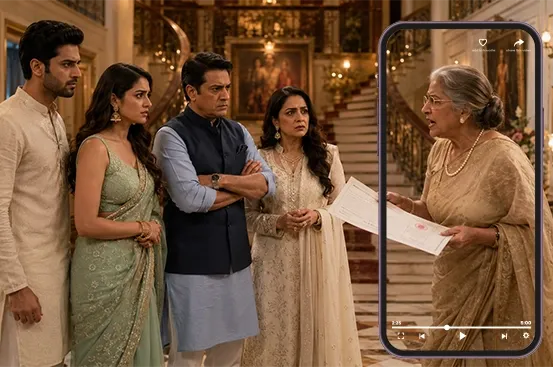
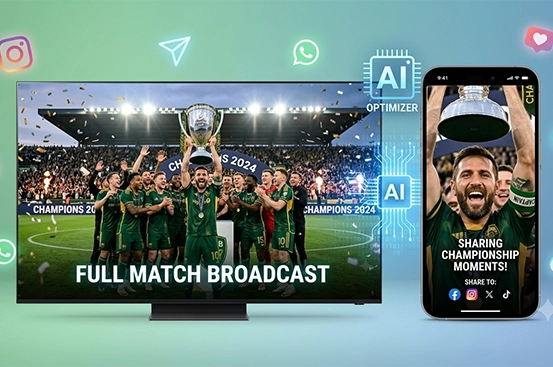
Yes. Landscape footage can be automatically reframed for vertical destinations such as short-form social platforms.
Can entire video libraries be resized?
Yes. The solution supports batch resizing at scale, making it suitable for large content libraries.
Can resizing be automated?
Yes. The workflow can automate format conversion and subject-aware cropping instead of requiring editors to manually create each version.
Does resizing preserve important subjects?
The scene-aware workflow is designed to keep key subjects visible rather than applying a simple centre crop.
Can sports footage be resized?
Yes. Sports content can be reframed for multiple platforms while tracking the action that matters in each scene.
Can news content be resized?
Yes. News clips can be adapted into vertical, square and widescreen formats for websites and social channels.
Can branding be retained across formats?
Yes. Resized outputs can be incorporated into a broader branded content workflow so visual identity can remain consistent.
Can subtitles or captions be retained?
Yes. Resizing can be combined with captioning and other AI video workflows to create platform-ready assets.
Can the solution create multiple outputs from one source?
Yes. One source asset can generate several aspect-ratio versions, reducing duplicate editing work.
What are the benefits of automated video resizing?
It reduces production time, increases content reuse and makes it easier to publish the same story or highlight across multiple viewing environments.
Who can use MultiTV Multi-Platform Resizing?
Broadcasters, publishers, OTT platforms, sports teams, brands, agencies and content creators with multi-channel video distribution needs can use it.